


AI image generation has transformed how brands create product imagery. But until now, creative teams have had limited control over the final result.
With Spatial 3D, ALL3D introduces a new category of AI product visualization. Instead of repeatedly rewriting prompts and regenerating images, you can transform any AI-generated image into an editable 3D environment where every product, prop, light source, and camera angle can be adjusted before generating a brand-new photorealistic image.
Built on ALL3D’s product-aware AI and 3D pipeline, Spatial 3D combines the speed of generative AI with the precision of professional 3D visualization—giving retailers, furniture brands, and creative teams complete control over their imagery.
Go beyond prompting. Start directing.
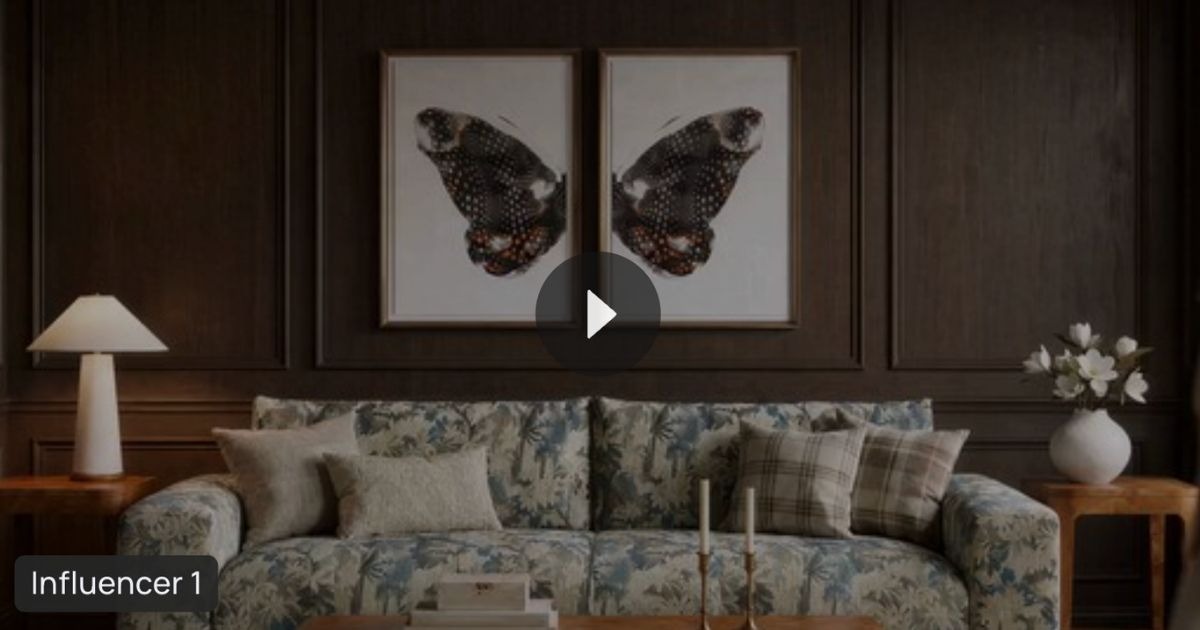
👉 Watch the complete Spatial 3D walkthrough below.
What is Spatial 3D?
Spatial 3D is an AI-powered product visualization tool that converts AI-generated images into editable 3D environments.
Instead of relying on prompts to regenerate an entire image every time you want to make a change, Spatial 3D lets you directly edit the scene itself.
You can:
- Move products and props
- Resize furniture with precision
- Adjust lighting and shadows
- Control camera angle and field of view (FOV)
- Swap products while preserving placement
- Create multiple compositions from one scene
- Generate brand-new photorealistic renders
The result is a faster, more controllable workflow for creating AI lifestyle imagery, product marketing assets, and ecommerce product imagery.
Why We Built Spatial 3D
Most AI image generators create beautiful images—but they’re still largely driven by prompting.
If the camera angle isn’t quite right… Generate again.
Need to move a chair? Generate again.
Want slightly warmer lighting? Generate again.
Creative teams spend valuable time chasing the perfect result.
ALL3D Spatial 3D changes that! Instead of asking AI to guess what you want, Spatial 3D gives you direct control over the scene before generating the final image.
Step 1: Transform Your AI Image into a 3D Scene
Getting started is simple. Open any completed AI-generated image inside ALL3D and click Spatial 3D.
Choose the image you’d like to edit and select Generate.
ALL3D automatically reconstructs the scene into an editable 3D workspace by converting products, props, and environmental elements into intelligent 3D objects.
Depending on scene complexity, conversion typically takes about 15 minutes.
Step 2: Direct the Camera
Unlike traditional AI image generators, Spatial 3D gives you complete control over your camera.
Adjust:
- Camera angle
- Camera height
- Field of View (FOV)
- Horizontal and vertical alignment
- Aspect ratio (Landscape, Portrait, Square)
Grid overlays help frame the perfect composition while saved camera positions let you revisit previous shots at any time.
Step 3: Edit Products, Props, and Lighting
Every product inside your scene becomes editable.
Simply click an object to:
- Move it anywhere in the room
- Rotate freely
- Resize accurately
- Snap objects to floors, walls, ceilings, or nearby surfaces
- Duplicate products
- Delete unwanted items
- Swap products while maintaining exact placement
Need additional decor? Open the Props Library and drag 3D-ready assets directly into your workspace.
Need a new asset? Generate a 3D model with a single click.
Lighting is equally flexible.
Adjust:
- Sun direction
- Light intensity
- Color temperature
- Overall mood
This makes it easy to create seasonal campaigns, retailer-specific imagery, and new merchandising stories from a single scene.
👉 Related: How to Create Product Variant
Step 4: Edit Using AI
Spatial 3D also includes an AI-powered editing assistant.
Simply click an object or surface and use natural language commands such as:
- Move the chair closer to the sofa
- Rotate the dining table
- Raise the camera
- Make the room brighter
- Place the lamp beside the sofa
The AI understands your instructions and updates the scene automatically. This dramatically speeds up scene creation while giving creative teams complete control.
Step 5: Capture a New Render
Once your scene is complete, click Capture Snapshot.
ALL3D generates a brand-new photorealistic render based on your updated 3D scene.
Every render is automatically saved to the Gallery so you can compare versions, revisit camera angles, and continue refining your work.
Built on a Product-Aware AI + 3D Pipeline
Spatial 3D isn’t simply another AI image generator.
It’s built on ALL3D’s product-aware AI and 3D visualization pipeline, developed from years of creating production-ready 3D assets for furniture and home brands.
Instead of treating products as flat pixels, Spatial 3D understands them as real-world objects.
It recognizes:
- Scale
- Proportion
- Perspective
- Materials
- Lighting
- Multi-product composition
- Spatial relationships
That foundation enables more accurate AI product visualization, better creative control, and fewer image generations.
This is what makes Spatial 3D fundamentally different.
Who Should Use Spatial 3D?
Spatial 3D was built for teams creating:
- Ecommerce product imagery
- Lifestyle images
- Product Detail Page (PDP) content
- Product variants
- Seasonal campaigns
- Retail partner content
- Catalog imagery
- Social media assets
- Product launch campaigns
Whether you’re a furniture manufacturer, home furnishings retailer, creative agency, or ecommerce team, Spatial 3D gives you complete control over your AI-generated imagery.
👉 Related Reading:
- How to use Projects / Bulk Upload
- How to use the Review Center
- How to Create a Studio/Silo shot
- How to Find Inspiration Images
Frequently Asked Questions
What is Spatial 3D?
Spatial 3D is ALL3D’s AI-powered product visualization tool that transforms AI-generated images into editable 3D environments, allowing users to control camera angle, lighting, composition, and product placement before generating a final render.
How is Spatial 3D different from other AI image generators?
Most AI image generators rely on prompts to create new images. Spatial 3D allows you to edit the scene itself, giving you far greater control over composition, lighting, camera settings, and product placement.
Can I change the camera angle after an AI image is generated?
Yes. Spatial 3D lets you reposition the camera, adjust field of view (FOV), change camera height, and save multiple viewpoints before generating a new image.
Can I move products inside an AI-generated room?
Absolutely. Every product becomes an editable 3D object that can be moved, resized, rotated, duplicated, deleted, or swapped.
Go Beyond Prompting. Start Directing.
Generative AI changed how images are created.
Spatial 3D changes how they’re directed.
By combining AI image generation with a fully editable 3D environment, ALL3D gives creative teams the precision, flexibility, and product awareness needed to create production-ready imagery faster than ever before.
Ready to experience the next evolution of AI product visualization?
Leave a Reply