
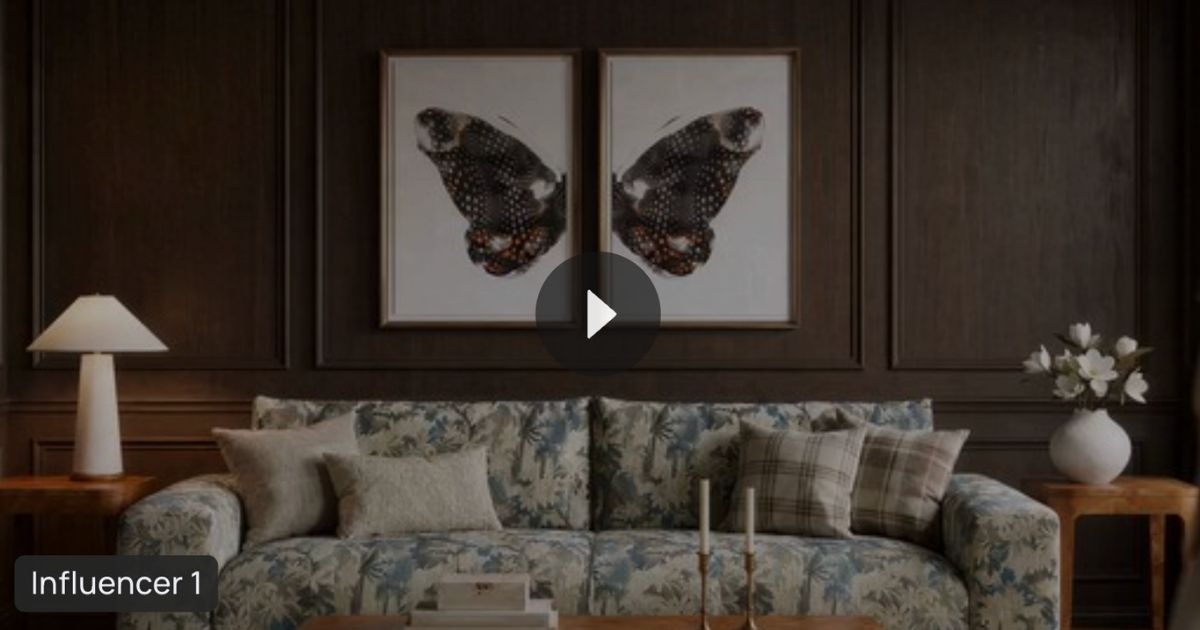
How to Create AI Product Videos with ALL3D

Creating professional product videos has traditionally required expensive video shoots, editing software, and production teams. Today, AI makes it possible to transform a single product image into engaging video content in minutes.
With ALL3D AI Video, ecommerce brands can create cinematic lifestyle videos, smooth 360° product spins, and AI influencer videos all from the same platform used to create product-accurate AI imagery.
Whether you’re creating videos for your website, social media, email campaigns, digital advertising, or product detail pages (PDPs), ALL3D simplifies the entire workflow. Simply start with an image, choose your video type, and let ALL3D automatically select the best AI model for the job.
One of the biggest advantages of ALL3D AI Video is that you don’t need to become an AI prompt expert. Every video type includes optimized default settings, allowing you to generate professional-quality videos with just a few clicks while still giving you the flexibility to customize when needed.
Watch our How-to Create an AI Video demo: https://www.youtube.com/watch?v=ozCuxjtaNU0
How AI Product Video Generation Works
Creating an AI video follows a simple workflow:
- Start with a Lifestyle or Studio Image
- Select your video type
- Review or customize the default prompt (optional)
- Generate your video
- Download and share
Because ALL3D automatically recommends the best AI model and provides optimized prompts, most users can create videos without changing any settings.
Step 1: Start with a Great Image
Every great AI video starts with a great image.
ALL3D allows you to create videos from either Lifestyle Images or Studio (Silo) Images, depending on the type of video you’d like to generate.
Lifestyle Images
Lifestyle images place your product in a realistic environment and are ideal for:
- Website hero banners
- Product launch videos
- Social media content
- Email campaigns
- AI Influencer Videos
- Custom Videos
Need help creating a lifestyle scene?
Create Product-Accurate Lifestyle Images: https://www.youtube.com/watch?v=FjWNIFJV5_Q
Studio (Silo) Images
Studio images isolate your product on a clean background, making them ideal for:
- Product Detail Pages (PDPs)
- Online marketplaces
- Product demonstrations
- 360° Product Spins
Need a studio image first?
How to Create Studio & Silo Images: https://youtu.be/l6jJ21Mlh-8?si=9DhHtTkKza_U3ZzK
Step 2: Choose Your AI Video Mode
ALL3D currently offers three AI video experiences designed for different ecommerce use cases:
- Custom Videos
- 360° Product Spins
- AI Influencer Videos

Create Custom Videos
Custom Videos transform a static image into a dynamic, cinematic video using natural language prompts. Unlike 360° Product Spins and AI Influencer Videos, there’s no default prompt, giving you complete creative control over how your scene comes to life.
Experiment with camera movements, lighting, product interactions, and different creative directions. Try generating multiple variations to explore what’s possible and find the version that best fits your campaign.
They’re perfect for:
- Website hero videos
- Product launches
- Collection pages
- Social media
- Digital advertising
- Brand storytelling
Whether you want a slow camera pan across a beautifully designed living room or subtle movement that makes a scene feel more realistic, simply describe what you’d like to happen.
Tip: For the best results, keep prompts simple and focus on one camera movement and one or two animated elements.
Example Prompt: Slow Camera Pan
Slowly pan from left to right across the living room while keeping the sectional sofa as the hero product. Maintain soft natural lighting and smooth cinematic movement.
Example Prompt: Slow Push-In
Begin with a wide shot of the kitchen and slowly move the camera toward the coffee maker, keeping it in sharp focus throughout the video.
Example Prompt: Animate a Product
Turn on the coffee maker and show a gentle stream of coffee pouring into the mug while light steam rises naturally.
Example Prompt: Animate Lighting
Turn on the table lamp beside the sofa, creating a warm glow that gradually fills the room while the camera slowly pushes toward the seating area.
Example Prompt: Add Natural Movement
Add gentle movement to the curtains, indoor plants, and sunlight streaming through the windows while the camera slowly pans across the room.
Example Prompt: Product Reveal
Start with a close-up of the coffee table accessories, then slowly pull back to reveal the entire living room with the sectional as the focal point.
Example Prompt: Cinematic Commercial
Create a 20-second vertical 9:16 premium sports lifestyle commercial featuring a diverse group of friends at an outdoor NFL tailgate. The atmosphere should feel energetic, authentic, celebratory, and aspirational, with the production quality of a professional sports or beverage advertisement.
Open with a cinematic wide shot of the tailgate and stadium, then introduce a female influencer holding the NFL Silipint toward the camera. She says: “Game day just got a serious upgrade.”
Transition to premium product close-ups. Show her pouring a cold beer into the Silipint, capturing the silicone texture, condensation, and NFL design in crisp detail. Follow with energetic shots of friends grilling, laughing, and enjoying the tailgate together.
End with the group raising their Silipints, followed by a clean product hero shot with the stadium softly blurred in the background and on-screen text: “Game Day. Your Team. Your Pint.”
Use cinematic camera movement, shallow depth of field, warm late-afternoon lighting, tasteful slow motion, and upbeat stadium-inspired music.
Product Accuracy: Keep the Silipint’s shape, proportions, material, NFL logo, team graphics, colors, and branding completely accurate and unchanged throughout the video.
Create 360° Product Spin Videos
360° Product Spins allow customers to see products from every angle, helping them better understand scale, materials, and craftsmanship before purchasing.
They’re ideal for:
- Furniture
- Lighting
- Mattresses
- Home décor
- Outdoor products
- Ecommerce Product Detail Pages
For the best results, start with a clean Studio or Silo image.
One of the advantages of ALL3D is that you don’t need to write a prompt. The platform automatically includes the optimized prompt: Generate 360 spin video of the product.
Simply click Generate, and ALL3D creates a smooth product rotation.
Advanced users can modify the prompt if they’d like to experiment with different camera movement or rotation effects.
Create AI Influencer Videos
AI Influencer Videos combine realistic AI presenters with your product imagery to create engaging product demonstrations without hiring talent or scheduling a video shoot.
They’re ideal for:
- Instagram Reels
- TikTok
- Product launches
- Landing pages
- Email campaigns
- Paid advertising
Set Your Creative Direction and Script
Our AI Influencer Videos include a default prompt to help you get started.
Influencer Videos give you even more control with both a Creative Direction and Script section, so you can shape how your presenter looks, moves, and speaks.
The Creative Direction section lets you describe the overall scene, influn, product interactions, movements, and closing pose. You can write your own direction, or click the ✨ diamonds icon to have AI generate a creative direction prompt for you.
The Script section is where you can customize what your presenter says. Rather than focusing on camera movement, this is typically where brands personalize the video to reflect their brand voice and highlight the product’s unique features.
For example, you may customize:
- Product benefits
- Brand messaging
- Call-to-action
- Tone of voice
- Presenter dialogue
- Product interactions and gestures
- Scene and presenter direction
This gives you control over both how your influencer presents the product and what they say, while dramatically reducing the time it takes to create polished, on-brand video content.
Here is an example of an influencer video creative direction and script
Creative Direction: The dog is excited to eat the 3 little treats on the counter
Influencer Script: My pup is officially obsessed! These Sunny Side Organic Dog Treats from Lord Jameson are crunchy, organic, and made with clean ingredients. Happy tail wags and guilt-free treating every day!
Powered by the World’s Leading AI Video Models
ALL3D brings together multiple industry-leading AI video models within a single workflow, including:
- Seedance 2.5
- Flux 3
Each model has different strengths. Some excel at realistic human movement, while others produce exceptional cinematic camera motion or product animation.
Rather than requiring users to decide which model to use, ALL3D automatically selects the optimal model. As newer AI models become available, ALL3D will continue to deliver the best-performing option without changing your workflow.
Best Practices for Creating Better AI Videos
For the highest-quality AI videos:
- Start with a high-resolution, product-accurate image.
- Use Lifestyle Images for marketing videos and Studio Images for 360° Spins.
- Use the prefill prompts when you’re getting started.
- Customize prompts only when you want additional creative control.
- Choose the length of your videos – 4 seconds to 30 seconds.
- Personalize AI Influencer dialogue to match your brand voice.
- Generate multiple versions to explore different creative directions.
Why Ecommerce Brands Use ALL3D AI Video
Creative and ecommerce teams use ALL3D AI Video to:
- Create product videos without expensive video shoots
- Produce engaging social media content
- Generate 360° Product Spins for PDPs
- Launch AI Influencer campaigns
- Reduce production costs
- Speed up product launches
- Scale video creation across large product catalogs
Because AI Video is fully integrated into the ALL3D platform, teams can create images, generate videos, collaborate on projects, review outputs, and publish content—all from one centralized workflow.
Create AI Product Videos Faster with ALL3D
As ecommerce continues to evolve, customers expect more engaging product experiences. AI video helps brands showcase products in ways that static images simply can’t.
With ALL3D AI Video, brands can create cinematic lifestyle videos, smooth 360° Product Spins, and AI Influencer Videos in minutes—all from a single image.
The platform automatically recommends the best AI model and provides optimized prompts, making professional AI video creation accessible to every creative and ecommerce team.
Looking to create product imagery first?
Start Creating in ALL3D: all3d.ai
Want to learn more about pricing?
View Pricing: all3d.ai/pricing

Leave a Reply