
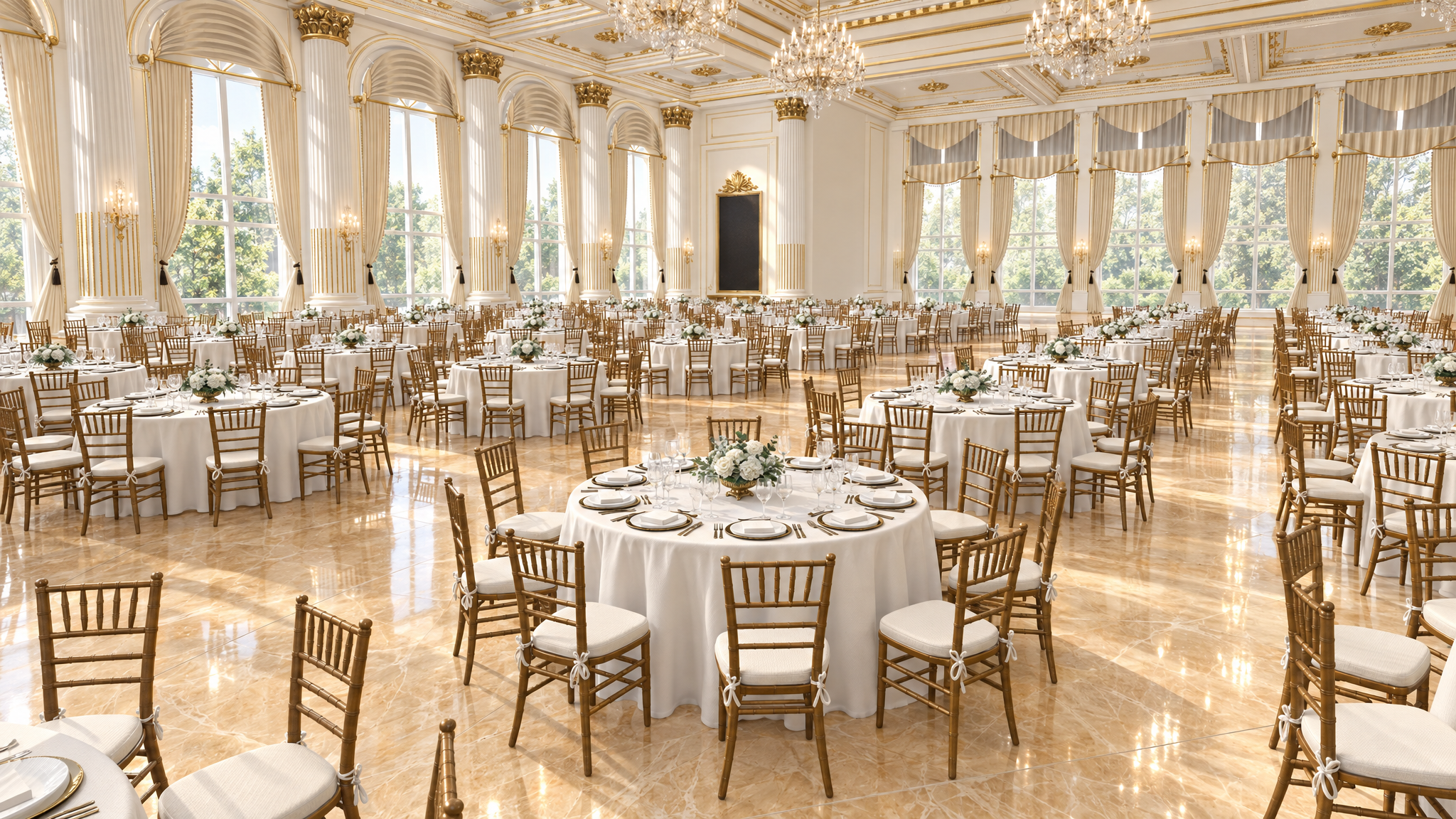
We Built the Trump White House Ballroom in Spatial 3D. Now You Can Redesign It.

What if you could step inside the proposed White House ballroom, move the furniture, change the layout, and capture your own images from any angle, all from your browser?
Using publicly available architectural drawings, the ALL3D team recreated the proposed Trump White House ballroom with Spatial 3D, our AI-powered visualization platform that transforms images into fully editable, interactive 3D environments.
And we didn’t just create a rendering. We built an entire space you can explore, edit, and redesign yourself.
960 chairs. One editable 3D scene. Endless possibilities.
Explore & Redesign the Trump Ballroom
From Architectural Drawings to an Editable 3D Environment
Traditional architectural renderings show you what a space could look like. But once that image is created, changing the layout, moving furniture, or exploring a different perspective often means going back to the original design files or generating a new rendering.
Spatial 3D changes that process.
Using AI and 3D technology, Spatial 3D transforms 2D images into interactive, editable 3D environments. You can start with an architectural visualization, an existing photograph, or an AI-generated image, including images created outside the ALL3D platform.
For the proposed White House ballroom, we used publicly available architectural drawings as the starting point to recreate the space in 3D.
The result is more than a static visualization. It’s an interactive environment where users can move through the room, reposition objects, experiment with layouts, and create entirely new compositions.
And the entire experience runs directly in your browser. No specialized 3D design software required.
960 Chairs. Move One or Replace Them All.
One of the most interesting things about the ballroom is the scale of the scene.
There are 960 chairs, and each one can be individually selected, moved, rotated, or repositioned.
Want to change the seating arrangement? Move chairs around the room and experiment with different layouts.
Want a completely different chair? Replace one, or simply describe what you want to change and replace all 960 in one click.
You can even go further and redesign the entire space.
This is where Spatial 3D goes beyond traditional AI image generation. Instead of repeatedly prompting an image generator, you’re working inside an editable 3D environment with direct control over objects and their placement.
The same technology works for furniture, lighting, decor, and other products within a scene. Spatial 3D also supports importing existing 3D product models in GLB format for greater product accuracy.
Where AI Meets Spatial Control
Traditional AI image generators create individual images. Spatial 3D takes a different approach by combining generative AI with an interactive 3D environment.
Instead of treating an image as the final result, Spatial 3D turns it into a space you can continue working with.
Move through the room, reposition products, adjust camera settings, or describe changes using natural language. You can make precise adjustments directly in the scene without starting over.
Once you’re happy with the composition, capture your shot and let AI transform it into a photorealistic image.
AI paints the light. The product stays accurate.
By combining the spatial control of 3D technology with generative AI, Spatial 3D gives users greater creative freedom while maintaining control over product placement, scale, and composition.
And because everything happens directly in your browser, you don’t need traditional 3D modeling software to get started.
Beyond the Ballroom: A New Way to Visualize Spaces
The Trump ballroom is a fun demonstration of what’s possible, but the technology extends far beyond this project.
For interior designers and architects, Spatial 3D offers a way to experiment with layouts, furnishings, and design concepts in an interactive environment.
For furniture manufacturers and ecommerce brands, it introduces a more flexible approach to product photography and merchandising.
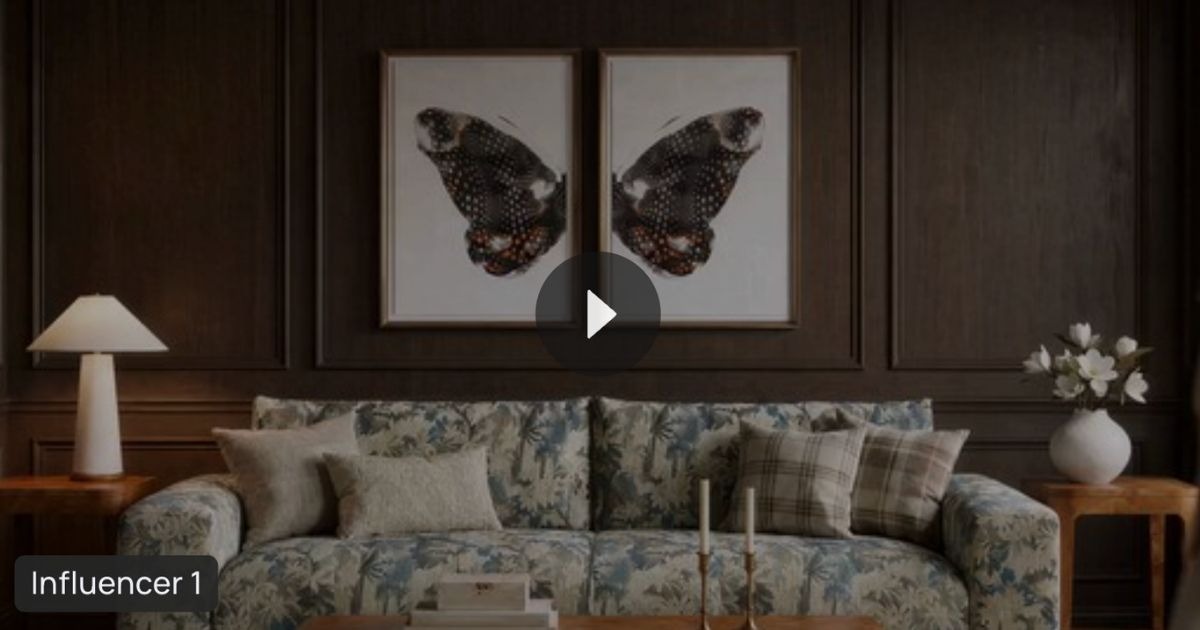
Imagine starting with a single lifestyle image of a living room. Spatial 3D converts that image into an editable environment where you can move furniture, swap products, adjust the camera, and capture different perspectives.
From one reusable scene, brands can create lifestyle images, Product Detail Page (PDP) images, and social media content without rebuilding the environment for every shot.
Try the Trump White House Ballroom Yourself
We’ve made our interactive 3D recreation of the proposed Trump White House ballroom available for you to explore.
Move the chairs. Change the furniture. Redesign the space. Experiment with camera angles and capture your own images.
All directly from your browser.
We built the ballroom. Now make it your own.
Want to create your own editable 3D environments? Explore Spatial 3D and discover a new way to design, edit, and visualize spaces with AI.
Frequently Asked Questions
What is the Trump White House ballroom 3D experience?
The Trump White House ballroom experience is an interactive 3D recreation created by ALL3D using publicly available architectural drawings. Users can explore the proposed space, reposition furniture, adjust camera angles, and experiment with different design concepts directly in their browser.
Can I redesign the Trump White House ballroom online?
Yes. ALL3D’s Spatial 3D experience allows users to move individual chairs, replace furniture, adjust layouts, and create new compositions within an editable 3D environment.
Do I need 3D modeling software to use Spatial 3D?
No. Spatial 3D runs directly in your web browser, allowing you to explore, edit, and visualize 3D environments without installing specialized 3D modeling software.

Leave a Reply