
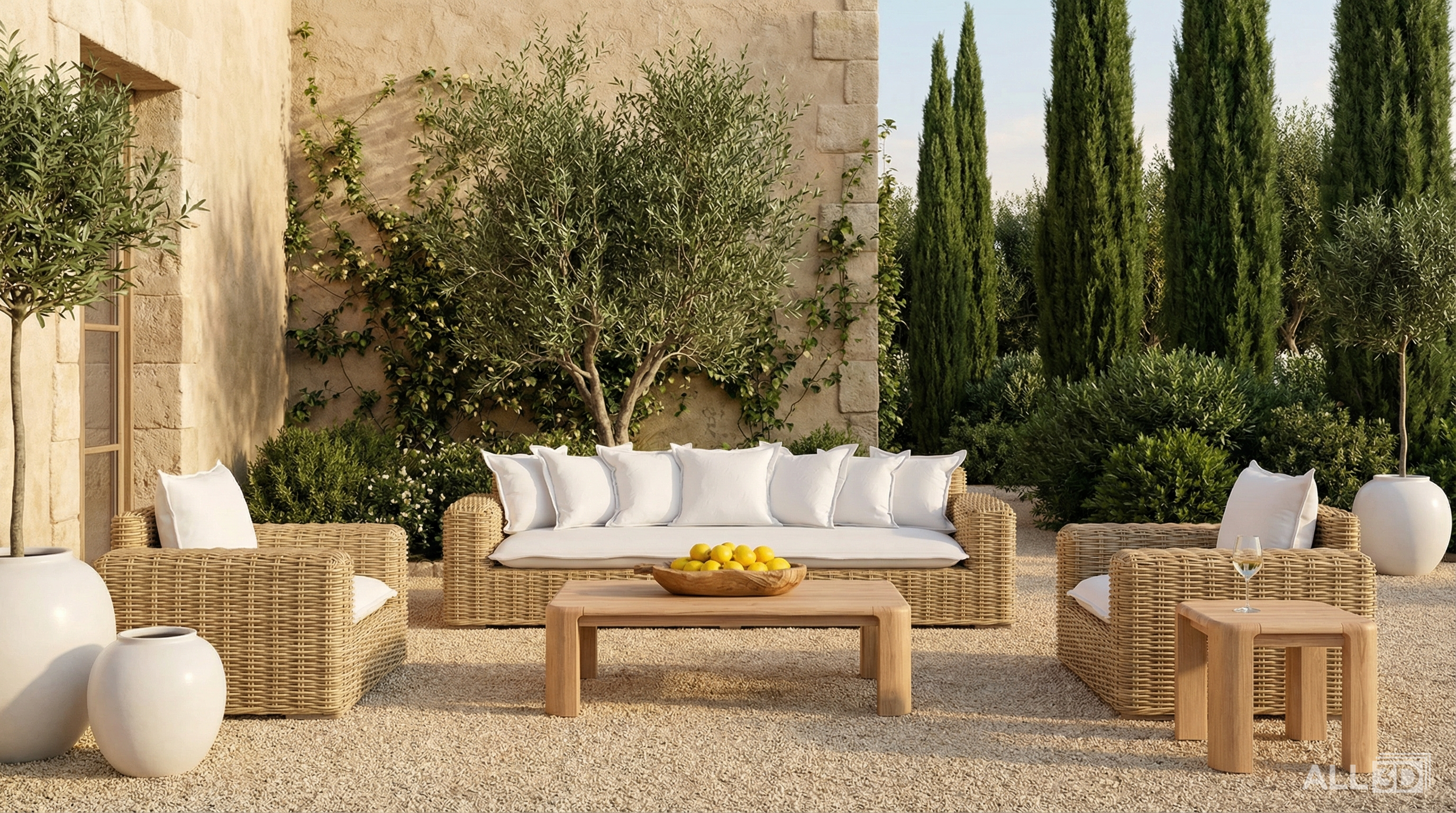

At ALL3D, creating high-quality ecommerce imagery starts with inspiration.
Unlike other AI tools that rely heavily on detailed prompts, ALL3D doesn’t require you to describe every aspect of a scene to get strong results. Instead, we use inspiration to guide the AI model — because when it comes to defining brand look, lighting, and overall aesthetic, images often communicate more clearly than words.
Think of inspiration as a way to set the stage. A simple, short prompt at the beginning isn’t necessary, but it can help define the overall direction — it’s just the starting point. From there, you can refine and evolve your visuals using ALL3D’s advanced editing tools, building out multi-product or collection-based scenes, swapping products or variants, adjusting styling elements, refining materials and colors, fine-tuning lighting, or cropping into a scene for a more detailed ecommerce shot.
This approach gives you the flexibility to create imagery that feels intentional, on-brand, and uniquely yours. Whether you’re building full lifestyle scenes or tighter product-focused shots, inspiration helps guide the initial output, while editing allows you to shape the final result.
Start with Your Brand Aesthetic
Before sourcing inspiration externally, it’s important to define your brand aesthetic.
- What is the overall mood? (minimal, layered, editorial, lifestyle-driven)
- What kind of environments feel authentic to your product?
- How is lighting typically handled — soft and natural, or more directional and dramatic?
- What types of styling elements or materials consistently show up?
Having clarity here ensures that every image — whether AI-generated or traditionally produced — feels cohesive across your ecommerce site, marketing campaigns, and brand channels.
1. Your Existing Brand Imagery
Your best starting point is often your own content.
Look at your existing lifestyle imagery, past campaigns, product detail pages, and marketing creative. This helps establish a consistent visual language across:
- styling
- composition
- lighting
- overall tone
Even if your goal is to evolve or elevate your brand, these assets provide an important foundation. They help anchor your visuals in something recognizable, ensuring that as you explore new directions, the imagery still feels cohesive and aligned with your identity.
Within ALL3D, this becomes especially powerful — your existing imagery acts as a baseline for consistency, while still giving you the flexibility to explore new environments, evolve your styling, and refine your aesthetic over time.
2. The Explore Section in ALL3D
The Explore section within ALL3D is designed to help teams quickly find inspiration that translates well into AI-generated imagery.
You can browse a range of environments, compositions, and visual styles that are already aligned with ecommerce use cases. This makes it easier to move from concept to execution, while still allowing flexibility to customize scenes based on your specific products and brand aesthetic.
3. Pinterest
Pinterest remains one of the most powerful tools for visual discovery.
Use it to:
- build mood boards for campaigns or product collections
- explore different interior or lifestyle environments
- identify trends in styling, color, and composition
Start broad, then refine your searches to align more closely with your brand. The goal isn’t to replicate what you see, but to gather directional inspiration that informs your creative approach.
4. Other Retailers
Looking at how other brands present their products can be incredibly valuable.
Pay attention to:
- how products are styled in context
- how multiple products are layered within a scene
- camera angles and framing (wide vs. detail shots)
- use of space and composition
This is especially helpful when thinking about ecommerce functionality — when to show a full lifestyle image versus when to highlight product details through tighter, more focused shots.
From Inspiration to Execution: Refining Your Images
Inspiration is just the starting point.
Because AI-generated imagery is inherently flexible, the first output doesn’t need to be perfect — it’s meant to be refined. With ALL3D, you can take an inspired direction and evolve it into a fully realized, on-brand image using built-in editing tools.
This is where creative teams can really make the work their own. Rather than relying on a single generated result, teams have the ability to shape the scene, weigh in on creative direction, and refine visuals to align with brand standards. Whether you’re adjusting the overall look and feel or fine-tuning specific details, the workflow is designed to support both control and collaboration.
Through ALL3D’s Review Center, teams can also collaborate more closely — sharing feedback, aligning on creative direction, and ensuring every image meets brand expectations before it’s finalized.
Teams can build out multi-product or collection-based scenes, swap products or variants, adjust styling elements, refine materials and colors, fine-tune lighting, or crop into a scene to create more detailed, product-focused shots.
This approach allows you to move from a single idea to a full set of ecommerce-ready assets — all while maintaining creative control, brand consistency, and alignment across teams.
Bringing It All Together
The goal of inspiration isn’t to copy — it’s to create direction.
In an AI workflow, inspiration acts as a guide, helping shape the overall look and feel of your imagery. From there, editing tools give you the control to refine and adapt each image to meet your exact needs.
By combining a strong understanding of your brand with the right sources of inspiration, you can create ecommerce imagery that is scalable, consistent, and aligned with your visual identity — without the time, cost, and constraints of traditional production.



Leave a Reply